A kanban MCP server for ChatGPT, Claude, Cursor and Codex
By Andrei Finogeev, founder of Weft ·
Weft is a hosted kanban board — Backlog, Todo, Doing, Done, with optional sprints — and its MCP server lives at https://letsweft.com/api/mcp. Add that URL to your AI client and sign in once with OAuth; nothing to install or run locally. From then on the assistant reads the board, creates and moves cards, claims a card before working on it so two agents never take the same one, reports progress, asks you when a decision is yours, and closes the card with what it did. Free for 50 tasks and 200 AI calls a month.
https://letsweft.com/api/mcpStreamable HTTP · OAuth, or a personal access token · 32 tools
Add it to your AI client
ChatGPT
Open Weft in ChatGPT — or configure it manually:
- 1Open Plugins in the ChatGPT sidebar — or Settings → Plugins.
- 2Search for "Weft" and open the listing.
- 3Click "Connect" and review what Weft can access.
- 4Sign in with your Weft account in the popup that opens.
@-mention the plugin in any chat: "@Weft what's on my board?" — or pick Weft from the + menu. If you skipped setup, ChatGPT offers to connect it inline.
Claude Desktop
- 1Open Claude Desktop → Settings → Connectors.
- 2Click "Add custom connector".
- 3Paste the Weft MCP URL below and save.
- 4Complete OAuth in the browser window that opens.
Start a new chat and ask: "what's on my Weft board?". Claude fetches your board state via the Weft connector.
Claude Code
claude mcp add --transport http weft https://letsweft.com/api/mcpRun `claude` in any project, then ask: "what's on my board?". A browser window opens to complete OAuth the first time.
Cursor
Add to Cursor — or configure it manually:
{
  "mcpServers": {
    "weft": {
      "url": "https://letsweft.com/api/mcp"
    }
  }
}
Open Cursor → Settings → MCP. The "weft" server should appear with a green indicator after you complete OAuth.
Codex CLI
[mcp_servers.weft]
url = "https://letsweft.com/api/mcp"
Run `codex mcp login weft` to sign in through the browser, then start `codex` and ask: "what's on my board?". `/mcp` lists the connected server and its tools.
VS Code
Install the Weft extension — or configure it manually:
{
  "servers": {
    "weft": {
      "type": "http",
      "url": "https://letsweft.com/api/mcp"
    }
  }
}
Open Chat, switch the mode picker to Agent, and ask: "what's on my board?". A browser window opens for OAuth the first time. "MCP: List Servers" should show weft as Running.
Windsurf
- 1Open Windsurf → Settings → Cascade → MCP servers.
- 2Click "Add server" and choose Remote (HTTP).
- 3Paste the Weft MCP URL below and save.
- 4Complete OAuth in the browser window that opens.
Open Cascade and ask: "what's on my board?". Cascade tags responses that used the Weft server.
Gemini CLI
gemini extensions install https://github.com/AndreiFinogeev/weft-gemini-extensionRun `gemini` and ask: "what's on my weft board?". A browser opens for OAuth on first use. `gemini extensions list` should show "weft".
Built for agents, not only for you
Claims, not collisions
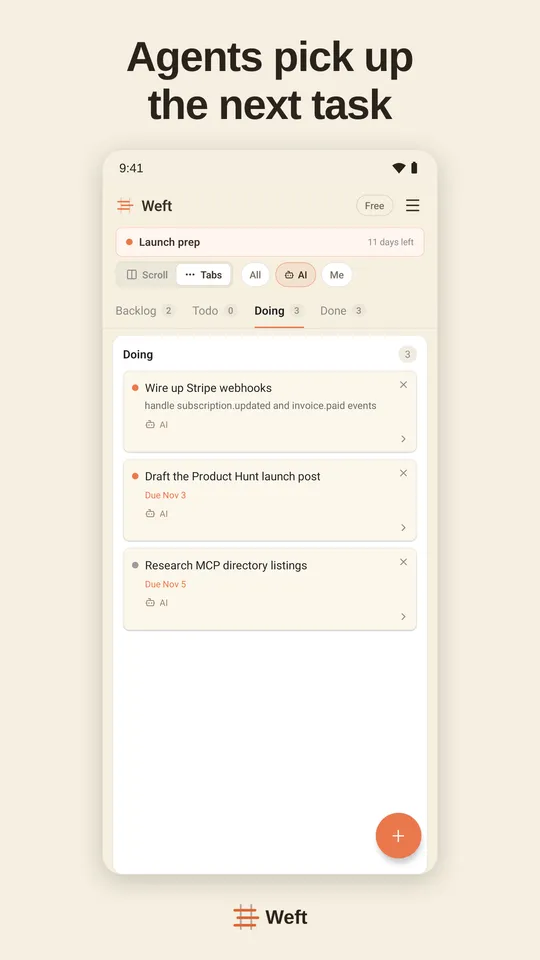
start_task puts a lease on a card before an agent works on it. A second agent asking for work gets a different card, and a card whose agent went quiet is offered again when the lease runs out.
Progress and receipts
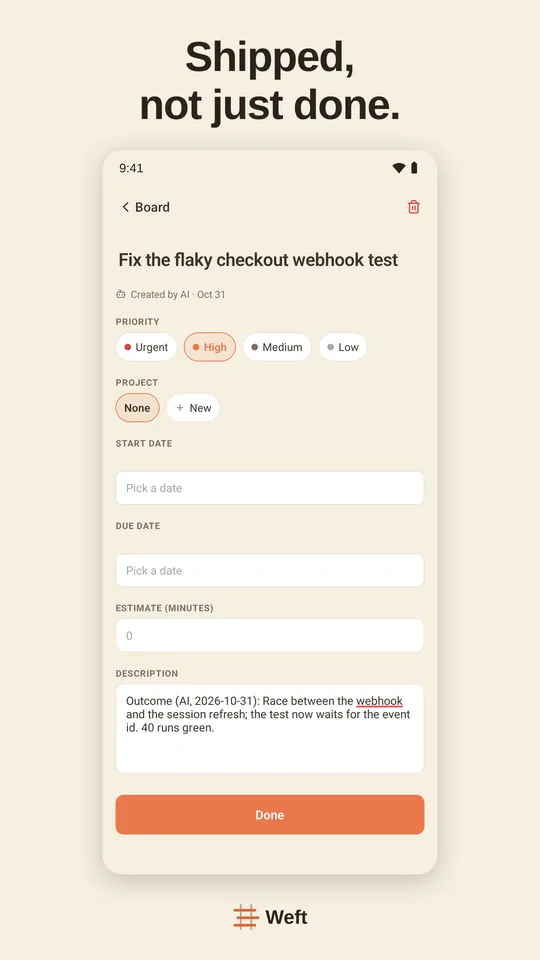
report_progress keeps the claim alive while the agent works; complete_task closes the card with what was done, what was not, and links you can check.
Questions wait for you
request_input puts a question with options in your Inbox — on the web and on your phone — instead of letting the agent guess at something only you can decide.
Your attention sets the pace
When too much finished work is waiting for your review, agents stop starting new cards. That is the kanban limit on work in progress, applied to you.
You decide what each AI may do
Give each connected assistant full, write or read-only access, and disconnect it with one click. Deleted cards go to Trash, not straight out of existence.
The 32 tools
Every tool declares whether it only reads, writes, or removes something, so your client knows when to ask you first.
| Tool | What it does | Kind |
|---|---|---|
| search | Keyword search across tasks, sprints, decisions and memory notes. Returns up to 50 ranked {id, title, url} results whose kind-prefixed ids feed into fetch. | Read |
| fetch | Retrieve the full content of a single search result — title, text representation, source url, and structured metadata. Takes the prefixed id returned by search. | Read |
| initialize_board | Create the default Backlog, Todo, Doing, and Done columns on your Weft board if none exist — the one-call setup before an AI agent manages tasks. Idempotent. | Write |
| get_board_state | Return a compact briefing on the user's Scrumban board: columns, active sprint, Doing, overdue tasks and recent closes, about 30x smaller than a full snapshot. | Read |
| list_columns | List all columns on the board, in order — id, name and position for each, so an agent knows exactly where a task can move. | Read |
| list_tasks | Return tasks for the authenticated user, optionally filtered by column, sprint, project (name or id), creator (human vs AI) or assignee (the executor). | Read |
| create_task | Create a new task on the user's board. Lands in Backlog if no column is set. Priority defaults to medium. Use when the user asks to add a task. | Write |
| bulk_create_tasks | Create up to 1000 tasks in one atomic call — import Linear/Jira/Notion/Trello exports or any list of 3+ tasks, using just one AI-call quota hit. | Write |
| update_task | Patch an existing task's fields. Only fields you pass are changed; omitted fields are preserved — with one exception: clearing requiresReview is refused for an agent, and the refusal takes the whole patch with it. | Write |
| move_task | Move a task to a different column and position. Moving to a column with semantic='doing' starts cycle-time tracking; moving to semantic='done' records completion time. | Write |
| start_task | The AI calls this the moment it begins executing a task — the card moves to Doing so the user and every other connected client see it in progress (and don’t pick it up twice). Starts cycle-time tracking; an unassigned task is claimed by the calling agent (an existing assignee is never overridden). No column id needed. | Write |
| report_progress | Say you are still working. A claim on a task expires if the client goes quiet, and this renews it. Without a heartbeat a long-running task is treated as abandoned and offered to someone else — deliberately, because an agent that dies mid-run reports nothing, so silence is the only signal the board has. | Write |
| request_input | Ask the person something only they can decide, and wait without losing the claim on the task. If they are at their client, a form appears there and the answer comes back inside the same call — the agent carries on in the same context, with the same claim. If they are away, the call returns parked and the question waits in their queue; the answer reaches the agent at its next start_task or get_my_work. For the irreversible and the genuinely ambiguous, not for "may I continue?" — every question spends the same attention budget that limits new work. | Write |
| submit_answer | Brings back what the person said to a question the agent raised, and hands the work back with the same runId and lease, so it continues in the same attempt rather than starting a cold one. Marked as relayed, never as the person acting themselves — an answer carried by an agent and a click made by a human are different kinds of evidence, and the board keeps them apart. If the question was already answered in the Weft app, that answer is returned instead of an error: what matters is that the agent continues with the right one. | Write |
| get_my_work | Ask what to do next instead of reading the whole board and guessing. Returns the tasks assigned to this client, what is already waiting on the human, and whether the attention queue has room. It also names what is overdue and what is due or starting within the week, so an agent hears about a deadline without asking. When the queue is full the useful move is helping clear it, not starting something new — and this says so before a task is picked. | Read |
| complete_task | The AI calls this when the work is actually finished — the card moves to Done with completion time recorded, and the optional outcome (what was done, where the result lives) is appended to the card as an "Outcome (AI, date)" note. No column id needed. Work marked as needing you does NOT move to Done: it goes to your queue with the receipt attached, and if the agent said what it would do next, accepting approves exactly that step and hands it back to the agent. If the task carries a verification plan, the server executes its checks right here — fetching the URL, looking for the quote, comparing the hash: an executable/state_delta plan whose blocking checks all pass closes verified by the server; a failed blocking check keeps the card out of Done and shows the agent what the server observed. | Write |
| record_decision | One tool, two uses, one table of record. (1) Relay a verdict you gave in conversation about finished work waiting on you — approved, send it back, drop it, later — clearing the card from the review queue; the entry is stored as relayed rather than as you acting in the app, and that difference is kept visible on purpose. (2) Record a standalone decision worth remembering — 'chose Neon over Supabase', a lesson learned — as an immutable MADR-lite record with the options weighed and the condition to revisit under. Records are never edited: a new decision with supersedesId replaces an old one, and the old one stays readable as what it said the day it was made. These records are what get_context serves back to every agent next week. | Write |
| get_context | The workspace's live decisions and lessons, packed to a token budget, newest first — what an agent should read before starting anything non-trivial. Derived from recorded decisions rather than authored as a document, so it cannot rot: a superseded decision drops out the moment its replacement is recorded, and every line carries its date. Scope it to a project or a task to narrow it; lines that do not fit the budget are counted, never silently hidden. | Read |
| get_task_history | What happened to a task, not just its current fields. Three modes: 'summary' (default, ≤500 tokens — the card, its latest receipt, counts), 'decisions' (every decision recorded about it, including verdicts and their reasons — a rework's reason survives here after a later accept overwrites the card), 'full' (the raw journal, capped at 100 events and saying so). Exists because an audit log is too chatty to read directly, and the task row only ever holds the latest verdict. | Read |
| trash_task | Move a task to the trash in your Weft board. Recoverable for 30 days via restore_task, after which a scheduled job deletes it permanently. | Removes |
| restore_task | Recover a task from the trash within 30 days of trashing it. The task returns to the board where it was, fully intact — so a solo founder never loses work to an accidental delete. | Write |
| archive_done_tasks | Clear the Done column: every task in it leaves the board into the archive — still found by search/fetch and still shown in its sprint’s history, never deleted. Completing a sprint archives that sprint’s finished tasks automatically; this handles the rest. It takes the whole column in one call, with no count and no way back from the MCP surface — restore_task restores from the trash, not from the archive — which is why it is marked destructive: a client should confirm with the user before calling it. | Removes |
| list_projects | List the board’s projects — lightweight contexts (a startup, a client, personal) a task can belong to. Excludes archived projects unless includeArchived is set. | Read |
| create_project | Create a project context. Name is unique per board; color defaults to a rotating palette pick; url is the project’s website, whose favicon is shown on task cards. | Write |
| update_project | Rename a project, change its color or website url, or archive/unarchive it. Archived projects disappear from pickers; their tasks keep the association. | Write |
| list_sprints | List all sprints (planned, active, completed, archived) for the user, so a solo founder or agent can review sprint history and current status without opening the app. | Read |
| get_active_sprint | Return the currently active sprint, or null if no sprint is running — so a solo founder or agent can check the current goal without opening the app. | Read |
| create_sprint | Create a new sprint in "planned" status for your Weft board, ready to schedule with a goal and dates. Use start_sprint separately when ready to begin working. | Write |
| start_sprint | Transition a planned sprint to active status. One sprint can be active at a time, on every plan — if another sprint is running, the call fails and names it; complete that sprint first, then retry. | Write |
| complete_sprint | Finish the active sprint. Its finished tasks are archived into the sprint’s history — off the board’s Done column, still searchable and shown on the sprint’s page. Unfinished tasks stay on the board, attached to the sprint. Cannot be undone via MCP — clients should confirm when intent is ambiguous. | Removes |
| add_task_to_sprint | Assign an existing task to a sprint so it shows up in that sprint's scope and burndown. Idempotent — calling twice has no extra effect, making it safe to retry. | Write |
| remove_task_from_sprint | Detach a task from its current sprint without deleting it — the task stays on the board in its column, simply no longer scoped to that sprint or its burndown. | Write |
Questions
What is a kanban MCP server?
An MCP (Model Context Protocol) server that exposes a kanban board as tools an AI assistant can call: list the columns, read cards, create a card, move it to Doing or Done. Weft’s is hosted, so you add a URL instead of running a process on your machine.
Do I need to install or run anything?
No. Add https://letsweft.com/api/mcp to your AI client and sign in with OAuth. Clients without OAuth use a personal access token from Settings → Access tokens.
Is it free?
Yes, for 50 tasks and 200 AI calls a month. Pro removes the limits for $7 per seat a month, or $60 per seat a year.
Does it work with ChatGPT Free?
Yes. Weft is in ChatGPT’s Plugin directory and works on every ChatGPT plan, Free included. Adding a raw MCP URL in ChatGPT is a Business, Enterprise and Edu feature, but you do not need it for Weft.
Can two agents share one board?
Yes — that is what the board is for. Each agent claims a card with start_task before working on it, so they do not pick up the same card, and every card shows whether an AI or a person created or finished it.
How is this different from a local kanban MCP server?
Open-source kanban MCP servers run on your machine and store the board in a local file or database, so only the agents on that machine see it. Weft is a shared, hosted board: the same cards in ChatGPT, Claude, Cursor, Codex, the web app and the iOS and Android apps, for you and your team.