ClickUp MCP: how to connect ClickUp to ChatGPT, Claude and Cursor
By Andrei Finogeev, founder of Weft · Checked against ClickUp’s docs on
ClickUp runs an official, hosted MCP server at https://mcp.clickup.com/mcp, available on every ClickUp plan, signed in with OAuth only. The catch is a daily quota: without the Everything AI add-on, the Free Forever plan gets 100 MCP calls per rolling 24 hours, per workspace and per client, and Business gets 1,000. In ChatGPT you connect it from Apps, in Claude from the connectors directory, and in Claude Code, Cursor and VS Code with the URL.
ClickUp MCP at a glance
| Server URL | https://mcp.clickup.com/mcp |
|---|---|
| Sign-in | OAuth only (OAuth 2.1 with PKCE) |
| Free plan | Yes — 100 MCP calls per rolling 24 hours |
| Call limits | Free 100 · Core/Unlimited 300 · Business 1,000 · Business Plus 2,500 · Enterprise 5,000 · Enterprise Plus 25,000 a day |
| Deletes | Yes — delete task (to Trash) and delete comment |
| Paid plans | Core $9/user a month yearly; Business $17; Max $100 |
“Not stated” means ClickUp does not say. Prices are list prices in US dollars per seat; taxes and regional prices differ.
How to set up ClickUp MCP in each assistant
ChatGPT
Apps → search “ClickUp” → Connect → sign in, choose the workspace(s) → Connect Workspace. In Team, Enterprise and Edu workspaces only owners and admins can configure MCP servers. ClickUp does not say which ChatGPT plans can use it.
Claude (web and desktop)
Connect ClickUp from the connectors directory (made by ClickUp, “Anthropic verified”), or on Pro, Team and Enterprise add a custom connector: Settings → Connectors → Add, name ClickUp, URL https://mcp.clickup.com/mcp.
Claude Code
Add the server, then run /mcp in Claude Code and sign in.
claude mcp add --transport http clickup https://mcp.clickup.com/mcpCursor
Install ClickUp from cursor.com/marketplace/clickup, or add it to mcp.json.
{
  "mcpServers": {
    "clickup": { "url": "https://mcp.clickup.com/mcp" }
  }
}
VS Code
Run the command below, then Extensions → MCP servers → ClickUp → Start Server.
code --add-mcp '{"type":"http","name":"clickup","url":"https://mcp.clickup.com/mcp"}'What your AI can do in ClickUp
- Search and filter tasks; create, update, move, merge and delete tasks; bulk create and update.
- Comments, tags, task links, dependencies, custom fields and attachments.
- Time tracking and time-in-status; lists and folders; members and assignees.
- ClickUp Chat (send, update, react), Docs and pages, and reminders.
Limits worth knowing
- Daily MCP call quotas per workspace and per client (above). initialize and tools/list are not counted; over the limit the server returns RATE_LIMIT_EXCEEDED with a retry time. With the Everything AI add-on, MCP follows the Public API rate limits instead.
- ClickUp’s pricing table lists different daily numbers than its docs (for example “No daily cap” on Max). We quote the docs.
- ClickUp’s overview FAQ still says it has no deletion tools, while its tool reference lists delete task and delete comment.
- Setting assignees replaces the whole list; repeated create calls make duplicates; a merge cannot be undone; moving a task fails if its status is missing in the target list.
- It cannot search apps connected to ClickUp.
ClickUp or Weft for working with AI?
Pick ClickUp if your team already runs docs, chat, time tracking and tasks in it and you want one assistant to reach all of that. The tool set is the widest of any task manager we checked.
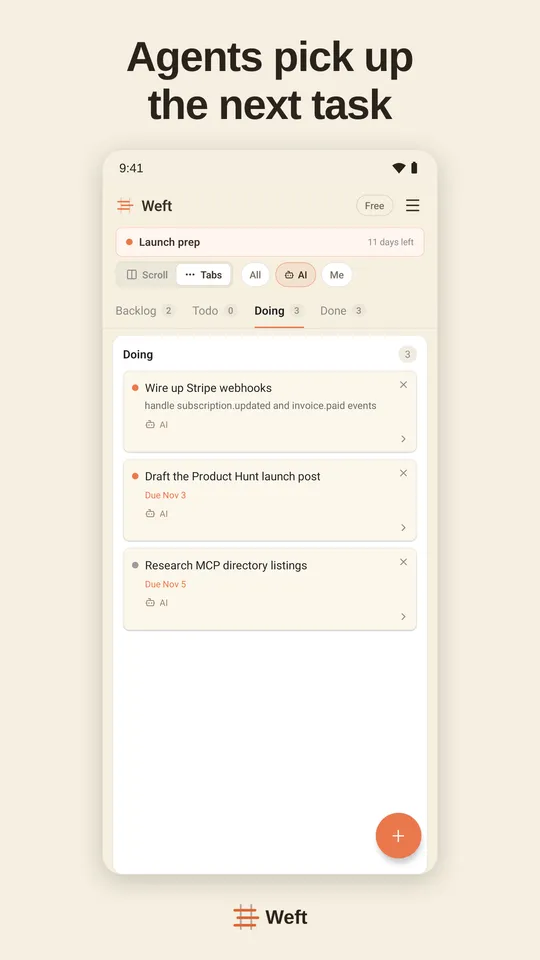
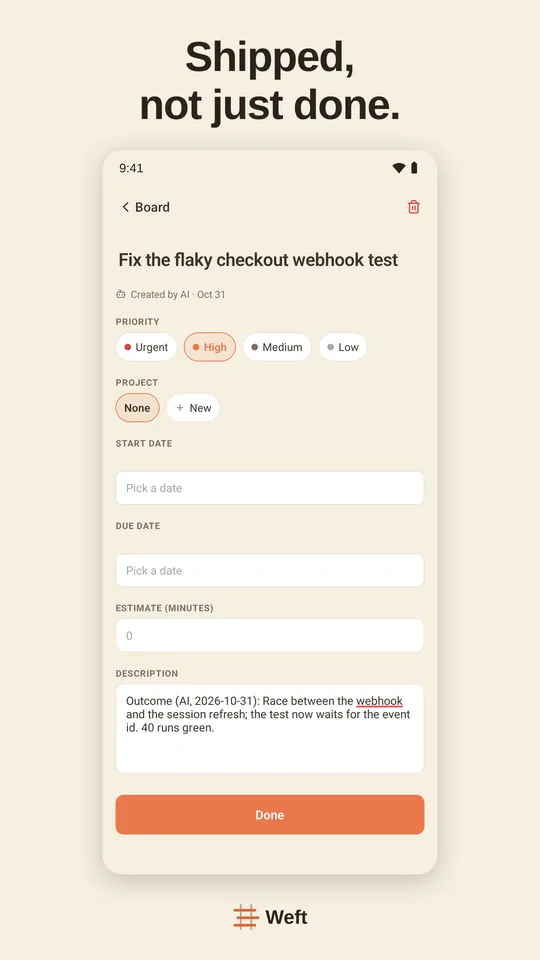
Pick Weft if you want your AI to work through a queue without counting calls. Weft’s free plan includes 200 AI calls a month and paid seats are $7 a month; its tools are built for an assistant doing the work — it claims a task so two assistants do not collide, reports progress, asks you when it is stuck, and leaves a receipt. It works in ChatGPT on every plan, Free included.
Setting Weft up: Weft in ChatGPT · Weft in Claude · Weft in Claude Code · Weft in Cursor · Weft in Codex
Questions
Is the ClickUp MCP server free?
It is available on every plan, including Free Forever, but each plan has a daily MCP call quota — 100 calls per rolling 24 hours on Free, per workspace and per client.
What is the ClickUp MCP server URL?
https://mcp.clickup.com/mcp. ClickUp supports OAuth only, not API tokens.
Can the ClickUp MCP server delete tasks?
Its tool reference lists a delete-task tool, which moves the task to Trash and needs Delete permission, and a delete-comment tool. An older FAQ on ClickUp’s overview page still says otherwise.
Does ClickUp MCP use AI credits?
No. ClickUp says MCP calls do not use AI credits; they count against the daily MCP quota instead.
Sources
Read on 11 November 2026.